
Mailchimp is an email marketing and customer engagement platform for managing audiences, sending campaigns, building automations, and tracking marketing performance. Businesses use it for newsletters, lead nurturing, ecommerce follow-up, event promotion, customer updates, and segmented email campaigns. Because Mailchimp connects marketing lists, forms, tags, journeys, and reporting, it often becomes a key communication hub for growing businesses.
But email marketing only works well when the data behind it is clean and connected. Without automation, teams still export contacts manually, apply tags by hand, copy form submissions into lists, and struggle to keep CRM, website, and email data aligned. With tools like Zapier, Make, and Notion, Mailchimp can become part of a connected marketing and sales workflow.


What Does Mailchimp Do?
Mailchimp helps businesses collect contacts, manage audiences, create email campaigns, build automated customer journeys, design signup forms, segment subscribers, and track campaign performance. It supports tags, groups, landing pages, templates, ecommerce integrations, behavioral targeting, and marketing analytics.
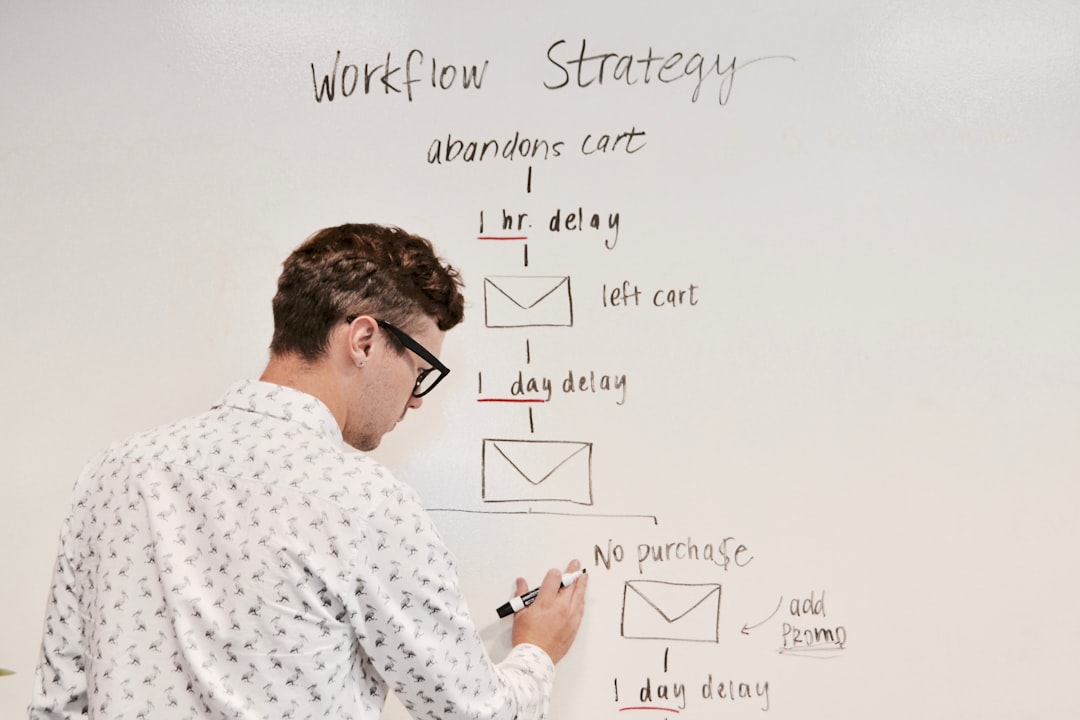
Companies use Mailchimp to stay in touch with prospects, customers, donors, members, and subscribers. Marketing teams send newsletters. Sales teams nurture leads. Ecommerce teams recover abandoned carts. Service businesses follow up after consultations. Content teams promote new resources.
But here is the thing many teams eventually discover: Mailchimp is an email marketing platform, not a complete customer data operations system. It can send campaigns and manage audiences, but it does not automatically keep every CRM, form, ecommerce platform, spreadsheet, and internal database perfectly aligned.
That is where Mailchimp automation becomes valuable.
Why Automate Mailchimp?
Manual email list management creates risk. Every time someone imports a CSV, applies tags manually, removes unsubscribed contacts from another system, copies lead data into a CRM, or builds follow-up tasks by hand, your marketing operations become slower and less reliable.
Mailchimp automation can help you:
- Add new leads to the right Mailchimp audience automatically
- Apply tags based on form responses, purchases, CRM fields, or lead source
- Sync contacts between Mailchimp and your CRM
- Trigger customer journeys from website or sales activity
- Remove or update subscribers when data changes elsewhere
- Notify sales when high-intent subscribers engage
- Log campaign activity in Google Sheets, Notion, or a CRM
- Create tasks from campaign engagement or lead behavior
- Keep unsubscribes and preferences aligned across systems
- Use AI to classify contacts, summarize campaign activity, or draft follow-ups
The goal is not just to send more emails. The goal is to keep your marketing data accurate so the right people receive the right message at the right time.
Why Use Zapier or Make with Mailchimp?
Mailchimp has built-in integrations and customer journey tools, but many businesses need more flexible workflows across CRMs, websites, spreadsheets, project tools, ecommerce platforms, and internal databases.
Zapier and Make help connect Mailchimp to the rest of your business stack without relying on manual imports or custom code for every workflow.
Capability | Mailchimp Alone | Zapier / Make |
Send email campaigns | ✅ | ✅ |
Manage audiences, tags, and segments | ✅ | ✅ |
Build customer journeys | ✅ | ✅ |
Sync contacts with CRMs and databases | Limited by native integrations | ✅ |
Route subscribers through conditional logic | Limited | ✅ |
Create tasks from campaign engagement | Manual or limited | ✅ |
Connect 3+ apps in one workflow | Limited or custom setup | ✅ |
Use AI to classify or summarize subscriber activity | Manual or custom setup | ✅ |
The short version: Mailchimp manages email marketing. Zapier and Make connect that marketing activity to the rest of your sales and operations systems.
Mailchimp Automation Examples
Mailchimp + WordPress
Add WordPress form submissions to Mailchimp audiences, apply tags based on page or form type, and trigger follow-up journeys for new subscribers, leads, or customers.
Mailchimp + HubSpot
Sync contacts between HubSpot and Mailchimp so sales and marketing stay aligned. Use CRM fields to apply Mailchimp tags, update segments, or notify sales when contacts engage with campaigns.
Mailchimp + Pipedrive
Add Pipedrive leads or deal contacts to Mailchimp, trigger nurture sequences based on pipeline stage, and create sales follow-up activities when subscribers click high-intent links.
Mailchimp + Google Sheets
Log subscribers, campaign engagement, unsubscribes, or segment changes into Google Sheets for reporting, QA, and lightweight marketing operations review.
Mailchimp + Notion
Track campaigns, content calendars, audience segments, and marketing tasks in Notion while Mailchimp handles delivery. Create Notion records from campaign activity or subscriber events.
Mailchimp + Slack
Send Slack alerts when a campaign launches, a high-value lead subscribes, a subscriber clicks an important link, or a list sync needs attention.
Mailchimp + Gmail
Trigger personalized follow-up emails or internal notifications when Mailchimp subscriber activity indicates sales interest or customer support needs.
Mailchimp + Shopify
Sync customers, purchases, product interests, and abandoned cart activity into Mailchimp so ecommerce campaigns can be segmented by real buying behavior.
Mailchimp + Make (Advanced Scenarios)
Make is useful for Mailchimp workflows that require routers, webhooks, field mapping, tag logic, preference center updates, ecommerce data handling, or multi-step syncs across several tools.
Mailchimp + Zapier (No-Code Power)
Zapier is a strong fit for fast Mailchimp automations: new subscriber triggers, tag updates, campaign activity notifications, CRM syncs, spreadsheet logging, and lead follow-up workflows.
Common Mailchimp Workflows We Automate
Lead Capture and Audience Segmentation
Add new leads from forms, landing pages, CRMs, events, and spreadsheets into the right Mailchimp audience. Apply tags and segments automatically based on source, interest, role, or qualification.
CRM and Sales Alignment
Sync Mailchimp with HubSpot, Pipedrive, Airtable, Notion, or another CRM so marketing engagement informs sales follow-up. Create tasks when contacts click important links or reach high-intent milestones.
Preference and Unsubscribe Management
Keep opt-outs, subscription preferences, tags, and suppression logic aligned across tools. Reduce compliance risk and avoid emailing people through the wrong system.
Campaign Reporting and QA
Log campaign sends, opens, clicks, unsubscribes, bounces, and key events into spreadsheets or databases for reporting and review.
Customer Journey Triggers
Start, update, or stop Mailchimp journeys based on website activity, purchases, form submissions, CRM stage changes, or operational events.
AI-Powered Marketing Operations
Use AI to classify leads, summarize campaign performance, generate audience insights, draft follow-up copy, or identify contacts that need human attention.
When Mailchimp Is the Right Trigger
Mailchimp is a strong automation trigger when your team repeatedly handles:
- New subscribers
- Form submissions
- Newsletter signups
- Campaign clicks
- Unsubscribes
- Tag changes
- Segment changes
- Ecommerce purchases
- Lead nurture activity
- Event registrations
- Marketing-qualified leads
If Mailchimp activity regularly causes someone to notify sales, update a CRM, create a task, log a report, or adjust another system, it is a good automation candidate.
When Mailchimp Is Not Enough
Mailchimp becomes fragile when it is used as the only system for customer data, sales follow-up, or marketing operations.
Common warning signs include:
- Contacts imported by CSV
- Tags applied manually
- CRM and Mailchimp lists not matching
- Unsubscribes not syncing across platforms
- Sales unaware of high-intent campaign engagement
- Campaign reports copied into spreadsheets by hand
- Multiple audiences duplicating the same contacts
- Customer preferences stored in more than one place
- Marketing workflows depending on one person’s manual cleanup
When that happens, Mailchimp should remain the email marketing layer — but customer data, sales ownership, reporting, and operational follow-up should connect to the systems designed to manage them.
What We Build for Mailchimp
As certified Zapier, Make, and Notion automation experts, we help teams turn Mailchimp into a reliable part of their business systems. We build:
- Lead capture workflows that add contacts to the right audience, tags, and journeys
- CRM sync automations for HubSpot, Pipedrive, Airtable, Notion, and other systems
- Sales alert workflows that notify teams when subscribers show buying intent
- Preference and unsubscribe syncs that keep consent data aligned across platforms
- Campaign reporting logs that capture key metrics and activity for analysis
- Customer journey triggers based on website, CRM, ecommerce, or form activity
- Marketing operations dashboards that connect Mailchimp activity to tasks and decisions
- AI-powered segmentation support that classifies, summarizes, and routes subscriber activity
- Error-handled automations that alert the right person when a sync needs attention