Stock design landing pages to boost feather flag sales

Boost feather flag sales by pairing niche landing pages (open house, restaurant promos, now leasing) with stock designs, negative keywords, and ad scheduling.

Aug 30, 2026
Stock design landing pages to boost feather flag sales
🎯
Primary keyword: feather flags
If your “custom feather flags” ads are getting clicks but not purchases, the fastest fix is usually not another campaign. It’s giving shoppers a ready-made choice: a niche landing page with stock designs (open house, restaurant promos, now leasing) plus an ad group that filters out irrelevant searches with tight negative keywords.
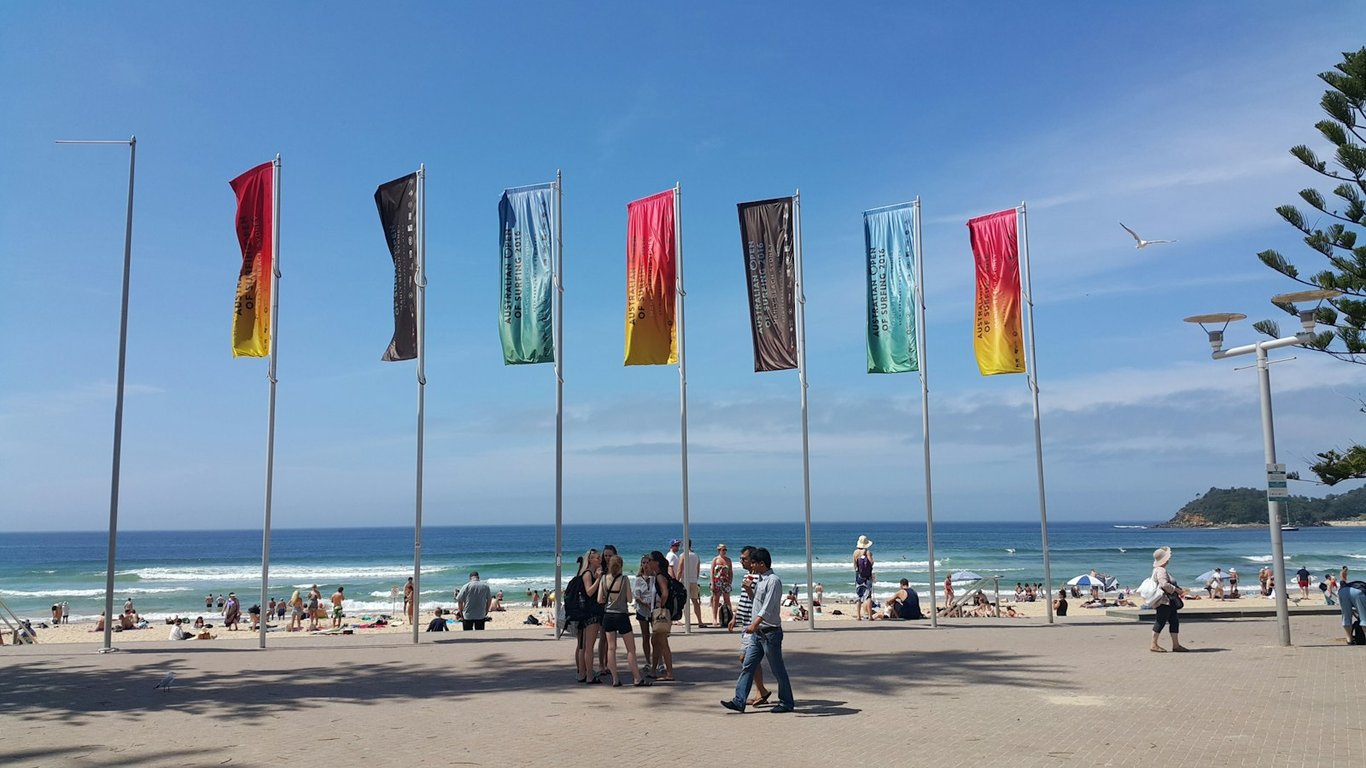
Photo by Kate Trysh on Unsplash

Why feather flag traffic often doesn’t convert

Many people searching for feather flags want something they can buy today, not a custom design project.
If your landing page only offers “request a quote” or “upload your logo,” you’re asking for too much effort, too early.
A stock-design landing page reduces friction:
  • faster decision-making (pick a design + size)
  • clearer pricing expectations
  • more relevant ad-to-page match (realtor searches see “Open House” options immediately)

Step 1: Pick 2–3 niches you can win (and build one page per niche)

Start with niches that have:
  • obvious use cases (the message practically writes itself)
  • repeatable templates (colorways, simple text swaps)
  • strong local intent (people need the flag for an event or promotion)
Good starting niches for feather flags:
  • Realtors: “Open House” flags in multiple color options
  • Restaurants: “Welcome,” “Now Hiring,” “Buy One Get One,” “Sale”
  • Apartments: “Now Leasing,” “1 Month Free,” “Move-In Special”

Step 2: Create stock-design bundles (so shoppers can choose, not guess)

Treat each design like a product SKU, even if you’re printing on demand.

A simple stock-design bundle checklist

  • Design name (e.g., “Open House — Blue”)
  • Message variants (e.g., “Open House Today,” “Open House This Weekend”)
  • 2–4 colorways (brand-friendly + high-contrast)
  • Size options (small/standard/large)
  • Optional add-ons (stake/base, carry bag)
You don’t need 50 designs to start. You need 6–12 good designs per niche.

Step 3: Structure the landing page to match the buyer’s job-to-be-done

Build landing pages around the outcome (“get more walk-ins”) not the product category (“feather flags”).

Landing page sections that drive purchases

  1. Hero: niche headline + 3–6 stock designs above the fold
  2. Choose your design: gallery with clear pricing and size selector
  3. Proof: photos, reviews, or simple “printed + shipped in X days”
  4. FAQ: shipping times, materials, setup, durability, returns
  5. Fast customization option: “Need a logo version? We can do that next.”
Keep the page simple. The goal is “pick a design + buy,” not “start a design conversation.”

Step 4: Build a Google Ads campaign that matches the niche pages

Your campaign should mirror your landing pages: one niche per ad group (or per campaign, depending on budget).

Recommended campaign structure (starter)

  • Campaign: Feather Flags — Stock Designs
    • Ad group: Open House flags
    • Ad group: Restaurant promo flags
    • Ad group: Now leasing flags
Then write ads that reflect the niche message:
  • “Open House Feather Flags — Ready-Made Designs”
  • “Restaurant Sale Flags — Stock Designs, Fast Print”

Step 5: Use negative keywords to stop paying for the wrong searches

If you’re getting searches that aren’t “buy intent,” your budget gets diluted fast.

Common negative keyword buckets for feather flags

  • Materials / crafts: wood, DIY, pattern, SVG
  • School / church / events: pastor appreciation, anniversary banner, graduation
  • State / country flags: Texas flag, American flag
  • Free / cheap intent: free, template, printable
Start by reviewing your search terms report weekly. Add negatives continually.

Step 6: Control when your ads run (so you don’t waste spend overnight)

If your offer requires quick response (or you want calls during business hours), ad scheduling can help.
A simple starting window:
  • 6am–7pm local time
Then adjust based on performance by hour/day.

Step 7: Measure what matters (so you know what to fix next)

At minimum, track:
  • conversion rate by landing page (realtor vs restaurant vs apartments)
  • search terms that triggered clicks
  • cost per add-to-cart / checkout start (if available)
If a niche page converts even slightly better, expand that first (more designs, more ad variations).

Where automation helps (without turning this into a tech project)

Once your niche pages start converting, you can automate the boring parts:
  • send order details to your production checklist in Google Sheets
  • route new orders or quote requests into HubSpot for follow-up
  • notify your team in Slack when high-intent orders come in

Ready to connect your feather flag ads to a full workflow?

If you need to connect ads, landing pages, and follow-up in one workflow, Talk to a Connex automation expert.