If you’re using Sage 200 to sell training courses, you can automate post-course follow-up emails in Mailchimp by sending a “course completed” webhook into Zapier, then triggering a segmented Mailchimp campaign—starting with a simple B2C proof of concept before you attempt B2B rollups.
The simple architecture (works even with a custom Sage setup)
Most Sage 200 + Mailchimp projects fail (or get expensive) for one reason: the “easy” part is Mailchimp, and the “hard” part is getting a reliable completion signal out of Sage.
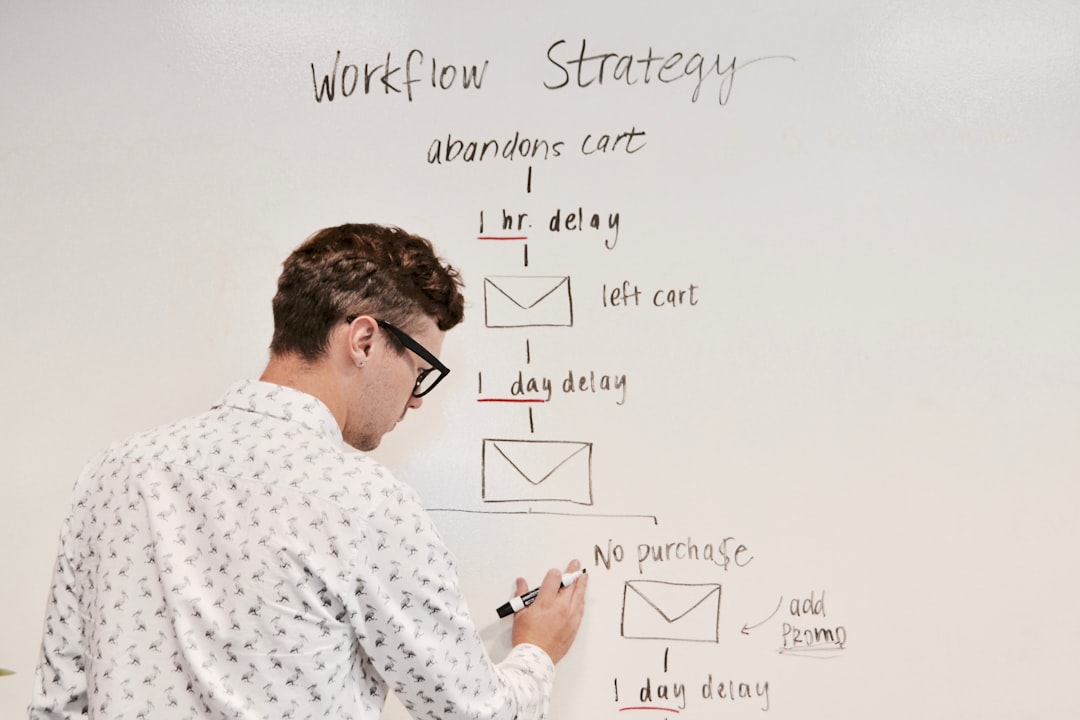
Aim for this minimal pipeline:
Sage 200 (or your custom layer around it) emits an event when a learner completes a course.
Zapier transforms the payload (and optionally enriches it) and pushes it into Mailchimp.
Mailchimp sends the right follow-up sequence (review request, FAQs, next-course upsell) based on segment/tags.
If Sage can’t send a webhook natively, you can still get this flow by adding a thin middleware step that watches for “completed/passed” changes and emits the webhook—but treat that as Phase 2.
Phase 1 (recommended): B2C “completion email” proof of concept
Start with your most common, lowest-variance course (for example: a one-day class with a very high pass rate). Your goal is to prove:
Sage can reliably identify completion/passed status
you can send the learner data to Zapier at the right moment
Mailchimp delivers the email and you can measure reviews/ratings lift
What the webhook payload needs (B2C)
For a basic B2C automation, the webhook payload should include:
event_type (e.g., course_completed)
course_id and/or session_id
completion_status (passed/failed/completed)
learner identifiers (name, email)
completion timestamp
With this, Zapier can:
upsert a contact in Mailchimp
apply tags (e.g., course:forklift, status:passed)
start the correct automation/campaign
What Zapier does (B2C)
Inside Zapier, keep it boring:
Trigger: Catch Hook (webhook from Sage/custom system)
Step 1: Formatter (normalize course names, dates, status values)
Step 2: Mailchimp (create/update contact)
Step 3: Mailchimp (add tag / add to audience / add to segment)
B2B follow-ups are harder because the buyer/contact is often an admin, while the trainees may not have email addresses (or you may not want to message them).
The trick is to email the admin once per session with a summary (and optionally a stat like completion rate).
What the webhook payload needs (B2B)
To do this without brittle polling, the payload needs enough context for Zapier to know when it has “all results” for a session:
session_id
admin_contact_email (the buyer/HR contact)
trainee_id (or trainee name) and completion_status
expected_trainee_count (or another way to know when the session is complete)
a flag like customer_type=b2b vs b2c
Once Zapier has received completion events for all trainees in the session, it can send the rollup email to the admin with:
% passed
any “needs attention” callouts (if failures exist)
a review request link
next steps / recommended follow-on training
Where projects blow up (and how to avoid it)
Common failure modes:
No reliable “completion” event: the system only knows “purchase” or “scheduled,” not “completed.”
No stable identifiers: you can’t consistently join learners → sessions → admin contact.
Trying to do B2B first: rollups need aggregation and “wait until complete” logic—prove the event stream with B2C first.
Mitigation: insist on the webhook first. If the Sage vendor can emit the completion event with the right fields, the rest becomes configuration.
Implementation checklist (use this before any build hours)
Confirm where “passed/completed” status lives in Sage 200 (or the custom layer)
Confirm whether the Sage vendor can emit a webhook on completion
Draft the Mailchimp templates (congrats + review request + FAQ)
Build Zapier POC and test with 5–10 real completions
Only after Phase 1 is stable, design the B2B rollup logic
When you should consider middleware (instead of direct webhooks)
Use middleware when:
Sage cannot emit webhooks
the payload cannot include the fields you need (admin email, session ID, expected trainee count)
you need retry/queueing because the source system is inconsistent
A simple middleware layer can still feed Zapier clean events—Zapier is happiest when it receives consistent, complete payloads.
Get help automating your Sage 200 to Mailchimp follow-up workflow
If you're building a Sage 200 + Mailchimp automation — whether you're just starting with B2C follow-ups or designing the B2B rollup layer — Connex can scope and build the Zapier workflow for you. Book a free consulting call and we'll walk through what your Sage setup can emit and what the pipeline should look like.
Design a nonprofit donation workflow with HubSpot, Zapier and QuickBooks Online: prevent duplicate revenue, handle soft credits, and reconcile payouts.
See how a small pay-per-call call center used a Zapier to Pipedream migration to get real-time call routing, IP-based fraud checks, and agent analytics.