Zapier Zap cleanup usually starts with the same three problems: the trigger fires too often, steps pile up over time, and nobody has a safe way to test changes. The fix is rarely a full rebuild. It’s a structured cleanup that reduces runs, removes redundant logic, and adds basic logging, so you can simplify complex automations in Zapier without breaking production.
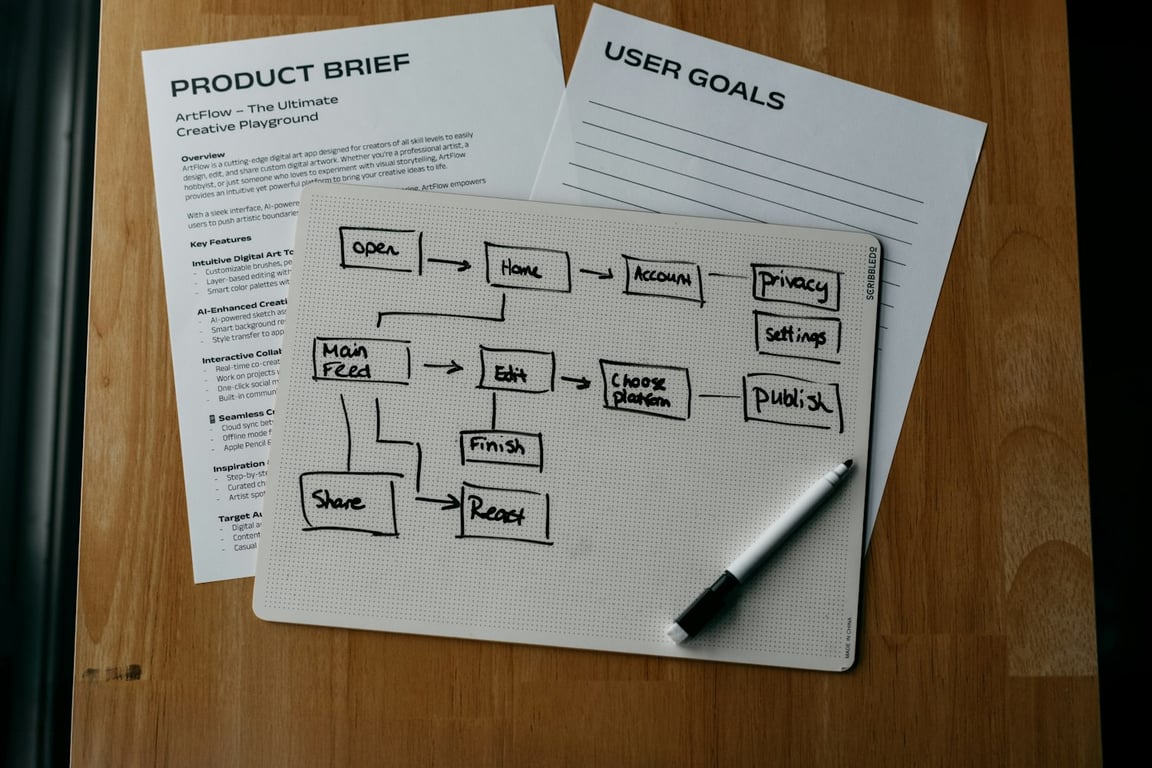
Zapier Zap cleanup starts with mapping the workflow. Photo by Kelly Sikkema on Unsplash
Zapier Zap cleanup checklist: simplify without breaking it
Freeze the current behavior before touching anything
Duplicate the Zap so you have a rollback copy.
Export or screenshot key settings (trigger configuration, filters, paths, and any “magic” field mappings).
Identify the single business outcome the Zap must preserve (e.g., “when a record is ready, update the form dropdown”).
Fix the biggest cost bug first: the trigger
Confirm the trigger only fires on the exact event you care about (not “any edit”).
Use a filtered view as the trigger source (for example, an Airtable “Ready for Zap” view) instead of filtering after the fact. Zapier’s flood protection counts every incoming trigger item before Filter steps run, so a narrow view keeps the noise out entirely. Tight “Only continue if” conditions are the second line of defense.
If the trigger is noisy, you’ll never win downstream. Every extra run that gets past your filters uses tasks and adds to throttling and held-run risk.
Map the Zap from end-to-end (inputs → transformations → outputs)
Write a one-line purpose for each step. If you can’t explain a step, it’s a cleanup candidate.
Flag steps that:
hard-code values you could set once (instead of calculating every run)
parse text to extract an ID (often replaceable with better upstream data or structured outputs)
write to “helper storage” (tables, spreadsheets, etc.) without a clear reason
Consolidate logic and remove redundant steps
If multiple steps exist “just to set a constant,” replace them with direct mappings.
If you have multiple filters checking the same thing, keep one (closest to the top).
If a step exists only because of earlier compromises (“we couldn’t find the ID”), pause and ask: can the trigger/search step return it cleanly?
Reduce throttling and rate-limit risk
Stagger or batch where possible.
Avoid repeated lookups in loops when you can do one lookup and reuse values.
If you hit throttling, add a Delay After Queue step only after you’ve reduced the number of runs and API calls. Delays are a band-aid, not a fix.
Watch for held runs. When a polling trigger pulls in 100+ new items at once, Zapier’s flood protection holds them until you confirm they should run (as of October 2026, per Zapier’s Help Center — check current limits).
Add lightweight logging (so you can debug fast)
At minimum, log:
a unique record/customer ID
the Zap run timestamp
the “branch” taken (which path/condition fired)
the final outcome (success/failure + error message)
Logging can be as simple as writing to a table/spreadsheet row or sending an internal Slack message for failures.
Stage changes safely
Make one change at a time; publish; observe.
Test with a small set of “known good” records.
If the Zap affects external-facing systems (forms, notifications, payments), create a dedicated test record path so real users don’t get impacted.
Common teardown patterns (and what to replace them with)
“It triggers on everything”
Replace with:
a filtered view (e.g., Airtable view)
a narrower trigger event
an early “only continue if” gate
“It’s too many steps”
Replace with:
fewer transformations (push structure upstream)
one clean lookup that returns the ID you need
direct mappings instead of step-by-step value assembly
“It keeps going on hold / throttling”
Replace with:
fewer runs (trigger fixes)
fewer API calls per run (step consolidation)
batching or scheduling (when the use case allows)
When to stop cleaning and rebuild instead
A teardown is usually enough. Consider a rebuild when:
you can’t explain the Zap’s intent anymore
there are multiple overlapping Zaps doing the same job
critical logic depends on brittle text parsing and undocumented conventions
the core data model changed (and you’re patching around it every week)
Get help cleaning up your Zaps
Cleaning up a complex Zap usually stalls at the same spot: nobody is sure which steps are safe to remove without breaking something downstream. If you’ve hit that wall, book a session with Connex. In a ZoomFlow call, one of our consultants maps the Zap with you live, cuts the noise, and stages the changes safely.
Build an automated crawler that finds broken links and missing images, logs each issue to Notion, and routes fixes to an owner, so you skip the manual audits.