Notion AI unified chat: pricing, credits, security controls
Notion AI pricing explained: plan features, usage allowances, premium-model credits, Custom Agent limits, and the admin controls that keep AI spend predictable.
Notion AI pricing has three layers: your workspace plan, an included AI usage allowance, and Notion credits for premium models and Custom Agents. Admin controls decide who can spend those credits and how fast. The figures and settings below reflect Notion’s public documentation as of October 2026, so confirm your workspace’s settings before budgeting or rolling out access.
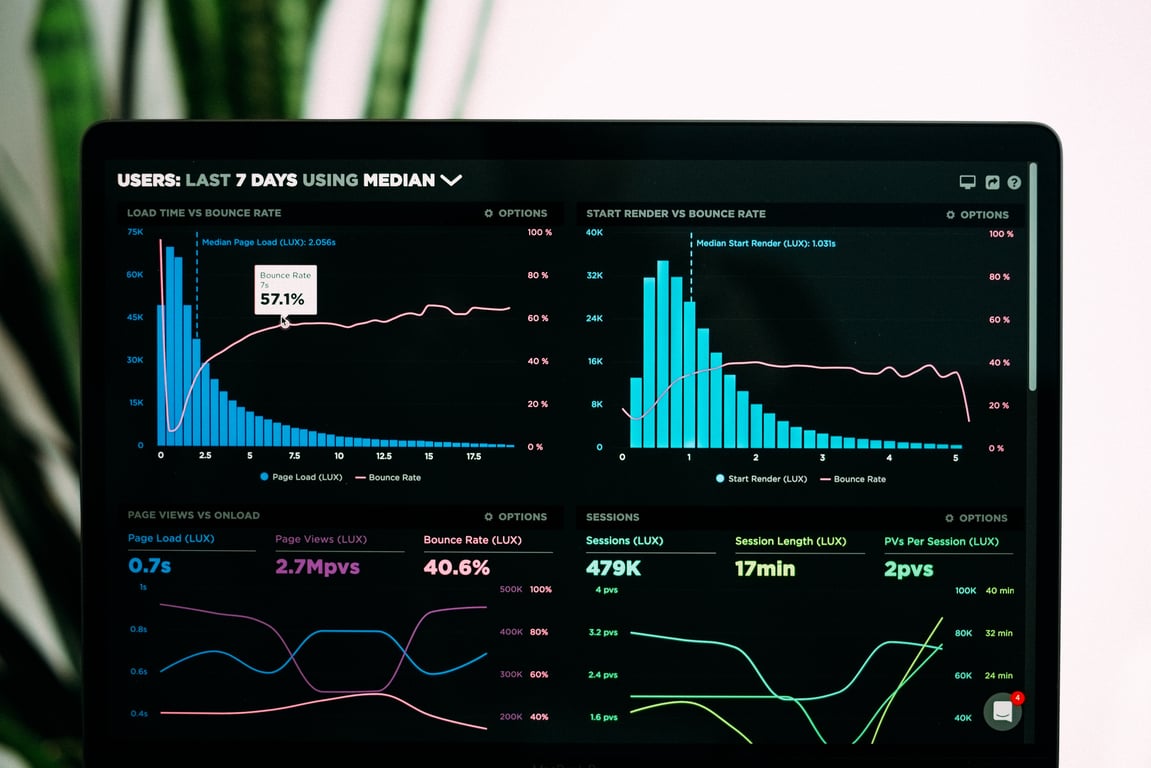
Notion AI pricing comes down to tracking usage and credit spend. Photo by Luke Chesser on Unsplash
Notion AI isn’t another chatbot so much as a layer across your workspace: you can chat, write, summarize, and search, and choose a model for each task or let Notion pick one. For most teams, the real work is making the credit model predictable and setting admin controls so a few power users don’t burn the budget.
What “one chat, many models” means (and why it matters)
If your team bounces between tools (ChatGPT for drafts, Claude for rewrites, Gemini for Google-adjacent workflows), Notion’s approach brings those workflows into one place, on top of your docs and databases.
This matters because:
You get responses that can reference your workspace context (when you choose to include it).
You can standardize how people use AI (prompts, templates, and governance).
You can control usage at the workspace level instead of relying on individual subscriptions.
Notion AI pricing: separate the plan, allowance, and credits
Not every AI interaction is billed the same way. Budget for three distinct layers:
Your workspace subscription. Notion’s pricing page lists Notion Agent, AI Meeting Notes, and Enterprise Search in Business, with those features also available in Enterprise. Free and Plus list a trial of Notion AI. Check the billing term, currency, and any negotiated agreement before comparing seat prices. Still choosing a tier? See our Notion Plus vs Business plan comparison.
Included AI usage. Models included in your plan do not spend Notion credits in ordinary Notion Agent use, but that does not mean unlimited usage. Notion documents six-hour and monthly usage-allowance windows for certain AI features.
Credit-based usage. Premium models spend credits whenever they are used in Notion Agent. Custom Agents have separate credit-based usage. Admins can also allow members to continue with credits after the included allowance is exhausted.
AI Meeting Notes has its own usage cap rather than the same allowance as chat. Do not assume every AI feature draws from one meter.
What are Notion credits?
Notion credits are a workspace-level balance for metered features. Notion advertises monthly credits at US$10 per 1,000 credits(as of October 2026 — check current pricing). The balance is shared across the workspace.
Credits are not a fixed number of chats or agent runs. Consumption depends on the work performed and the models used. For premium-model usage paid with monthly workspace credits, Notion’s model-spend documentation states that tokens are charged at the provider’s published rates with no markup, subject to changes in rates and pricing methodology. Do not assume that statement describes every Custom Agent charge.
For predictable spend:
Separate subscription cost from the monthly credit budget.
Measure representative workflows before estimating volume.
Set member and agent limits where supported.
Review spend regularly and pause experiments that do not justify their cost.
Security & data privacy: the questions your team should ask
Most teams evaluating Notion AI have two separate concerns:
Where does the data go when someone uses AI?
Is our content used to train models?
Notion’s AI security and privacy documentation says that, by default, Notion and its AI subprocessors do not use Customer Data to train models. Its contracts prohibit AI subprocessors from using Customer Data for model training. The pricing FAQ also distinguishes an explicit opt-in request to share data; do not describe the default protection as a claim that opt-in sharing never exists.
Training and retention are different questions:
Enterprise: LLM providers use zero data retention by default.
Non-Enterprise: LLM providers may retain Customer Data for 30 days or fewer by default.
Some AI features may require data-retaining LLMs, which Notion says remain off by default unless an administrator enables them.
External Agents have different retention controls and practices.
Zero retention at an LLM provider does not mean Notion stores no workspace content or embeddings. Review the relevant feature, plan, settings, and contractual requirements before using sensitive data.
Practical best practice for sensitive work
Even with vendor safeguards, teams often adopt a “least exposure” approach:
avoid pasting raw client-identifying details into prompts
anonymize or generalize inputs when possible
use role-based permissions in Notion so AI access matches real access
Usage governance: credit limits and “safe defaults”
The operational risk usually isn’t that AI exists. It’s that:
a couple of high-usage people run expensive workflows
custom agents get triggered too broadly
experiments turn into recurring costs
Use controls that match the feature you are governing:
Premium models in Notion Agent: On Business and Enterprise, workspace owners and admins enable models at the workspace level. Premium models are off until enabled. Do not assume this switch is a per-role model-access rule.
Member and group spend: Set a default credit limit, then adjust limits for specific people or groups in Settings → Notion AI → Usage. A person who reaches their premium-model credit limit can still use included models, subject to the included usage allowance. The shared workspace credit balance must also have credits available.
Allowance overage: Decide whether to allow members to spend credits after reaching their included AI usage allowance. This is a separate setting, not the same as enabling premium models.
Custom Agents: These have their own model controls. Changing Notion Agent’s model settings does not automatically change Custom Agent access. If agents need to work with people outside your workspace, see how to add external users to Notion AI agents.
Per-agent caps: Set a credit limit so an agent pauses when it reaches the threshold. Notion’s Custom Agent admin guide also describes an Enterprise default limit for all agents. A cap is a spending control, not a substitute for narrow permissions, safe triggers, and monitoring.
Monitor both individual usage and total workspace consumption. Member limits do not create independent credit balances.
Recommended rollout path for a 15–25 person team
If you’re piloting Notion AI for a small-to-mid team, this sequence works:
Pilot with a small group (3–5 people) using real projects and meeting notes.
Define “approved use cases” (e.g., meeting summaries, first drafts, SOP rewrites, database cleanup).
Set governance and limits before expanding access.
Train the team on prompts, what not to paste, and when to use which model.
Expand once the controls and behaviors are stable.
Common mistakes (and how to avoid them)
Mistake: Treating Notion as “just ChatGPT in a different tab”
Notion AI is most useful when it’s tied to the place your work already lives: docs, project trackers, wikis, meeting notes, and operational databases.
Mistake: Turning on powerful agents without scope control
Before you deploy custom agents broadly, make sure they:
only have access to the pages/databases they need
have clear triggers (avoid “runs on every edit”)
have credit limits
Review credit usage and agent limits in the dashboard before expanding automation. Set a clear owner for investigating unexpected runs, pausing an agent, and requesting a budget increase.
FAQ
Does Notion AI train models on our company data?
By default, Notion says it and its AI subprocessors do not use Customer Data to train models. Notion also states that its contracts prohibit subprocessors from using Customer Data for training. Review any explicit data-sharing opt-in separately, and check retention policies independently of training protections.
What should admins do first?
Start with governance:
confirm the plan’s included features and usage allowance
decide which premium models to enable workspace-wide
set member or group credit limits and the allowance-overage policy
review Custom Agent model access and per-agent caps separately
audit sharing permissions and document safe prompting rules
assign someone to monitor the shared credit balance
Get help rolling out Notion AI
If you’re budgeting for Notion AI and want credit limits and governance that won’t turn into surprise spend, our team can help. We set up model access, member limits, and Custom Agent caps around how your team actually works. Book a free discovery call.
Learn how AI browser automation for CRM workflows can repair routing logic, send the right email, keep deal participants attached, and preserve human review.
Lucid Process Accelerator process documentation helps teams centralize approved workflows, govern every change, and give builders automation-ready context.
Notion custom agents switch to paid credits May 4, 2026. Learn how to audit your usage, narrow triggers, and optimize agent workflows before the meter starts.