Learn how to build a Zapier email automation sequence for membership onboarding, with timing delays, conditional filters, and status-based triggers for each stage.
Most membership site owners send onboarding emails manually — or not at all. A well-structured Zapier email automation sequence handles the entire journey from signup to active subscriber automatically, sending the right message at the right moment based on exactly what a user has or hasn't done.
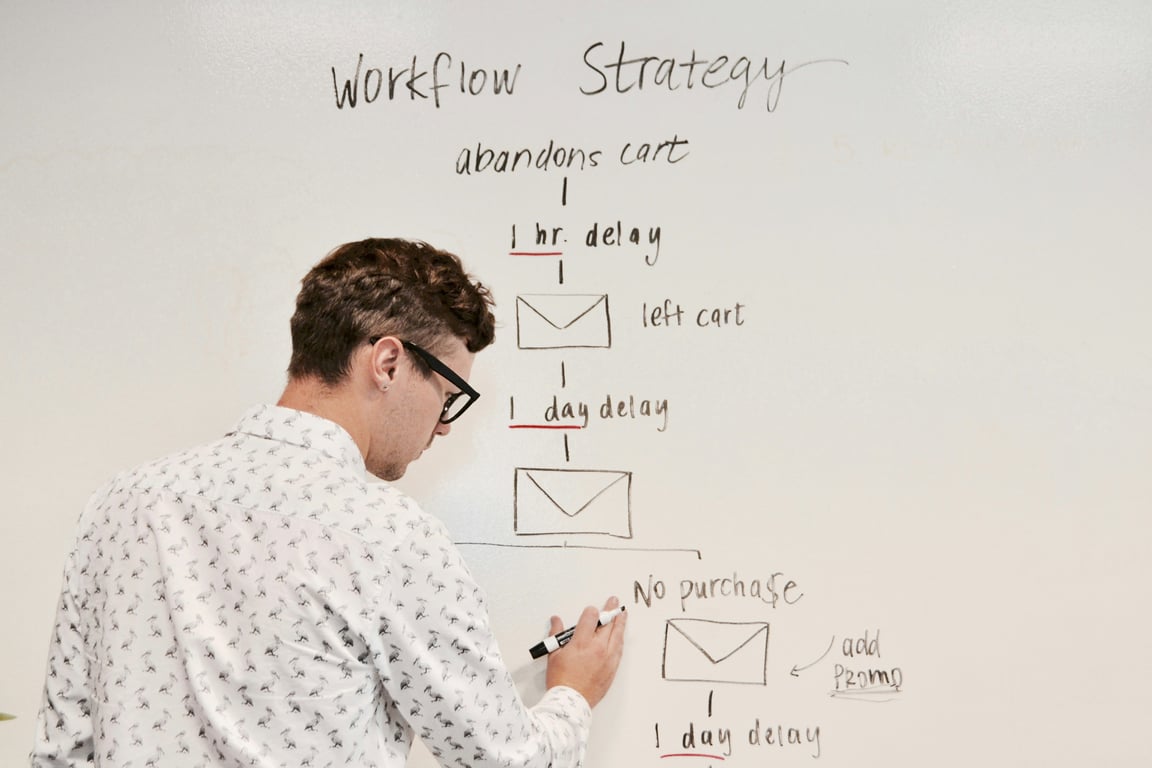
Photo by Campaign Creators on Unsplash
The four-stage onboarding sequence
An effective membership onboarding sequence has four stages, each triggered by a different condition:
Not started — member signed up but hasn't completed step one
In progress — member passed an assessment or screening but hasn't finished all steps
Complete but unsubscribed — member finished everything but hasn't activated their subscription
Active — member completed all steps and is subscribed
Each stage needs a different message, a different trigger, and often a different timing delay. Here is how to build each one in Zapier with Airtable as the data layer.
Stage 1: The "you haven't started yet" reminder
Trigger: New member signs up (record created in Airtable)
Delay: 2 days
Condition: Member has not completed the pre-screen or assessment form
Email: Friendly reminder that the application is waiting, with a direct link back
In Zapier, this Zap works as follows: a trigger on new record creation fires the Zap, a Delay step holds it for 2 days, a Lookup step fetches the member's current record from Airtable, and a Filter step only lets the email send if the status fields are still empty.
⚠️
The filter is critical. Without it, members who completed their application in the first two days will still receive the reminder — which creates confusion and undermines trust in your onboarding.
Stage 2: The assessment pass email
Trigger: Assessment status field updated to "Passed" in Airtable
Delay: Immediate
Email: Congratulations, here is what comes next
This email sends as soon as the assessment pass is recorded. It confirms progress, sets expectations for the next step (completing a match form, for example), and keeps momentum going while engagement is high.
Stage 3: The match form reminder
Trigger: Assessment passed but match form not completed
Delay: 72 hours after assessment pass
Condition: Match form status is still empty
Email: "You're one step away from being visible to clients"
The same lookup-and-filter pattern applies here. The Zap waits 72 hours, looks up the member's current match form status in Airtable, and only sends the email if the form is still incomplete.
This prevents sending a follow-up to someone who already completed the form between when the Zap triggered and when it fires.
Stage 4: Complete but not subscribed
Trigger: All steps complete (assessment passed, match form completed), subscription inactive
Email: "You've done everything — activate your profile now"
This is often the highest-value email in the entire sequence. These members have invested real time in the process. They are warm and motivated. A targeted nudge at this stage converts at a much higher rate than generic follow-ups to cold or disengaged users.
The filter checks all four conditions before sending:
Pre-screen: Passed
Assessment: Passed
Match form: Completed
Subscription: Not active
Only members who match all four conditions receive this email.
Common mistakes to avoid
Skipping the lookup step. If your Zap sends an email immediately on a trigger without checking current status, you will send the wrong email to people who have moved on. Always look up the live record in Airtable before sending.
Using one Zap for all emails. Separate Zaps for each email stage are easier to maintain, test, and troubleshoot independently. A single branching Zap covering all stages becomes difficult to debug when something misfires.
Not testing end to end. Build the sequence, then walk through it as a new member would. Check every stage, intentionally skip steps to confirm reminder emails fire, and verify the subscription check works before going live.
Maintaining the sequence
Zapier email automations run in the background, but they need periodic review. When you update the membership flow (adding a new step, changing a timing delay, or updating email copy), members currently in-flight through the sequence may need manual record updates in Airtable.
For sequences that are critical to member retention, audit the full flow every quarter. A 15-minute walkthrough catches edge cases before they affect real users.
Get help building this sequence
Getting a four-stage membership onboarding sequence right in Zapier usually takes a few iterations — the lookup step trips people up first, and the filter conditions need careful tuning to avoid duplicate sends. If you'd rather skip the trial-and-error, book a ZoomFlow session. One of our consultants will build it with you live and you'll own the working sequence when the call ends.
Send a weekly BambooHR time off balance report email with Zapier and Gmail. Format PTO balances as an HTML table so HR can scan them without logging in.