Fix GoHighLevel calendar buffer time and stop duplicate appointments by treating each booking as a bundle with a shared appointment_id for idempotent syncing.
TL;DR:Google Calendar doesn’t reliably enforce buffer time between “regular” events, and GoHighLevel booking flows can create duplicates when the sync can’t consistently match “the same appointment” across systems. The most reliable fix is to treat every appointment as a bundle of events (main + buffers), all sharing a single appointment_id for idempotent creates, updates, and deletes.
Most “buffer” settings in booking tools only apply to appointments created by that specific booking flow, not every event on the calendar. That’s why you can still end up with back-to-back bookings even when you’ve configured a 30-minute buffer.
Duplicates typically happen when two systems both think they are the source of truth, but neither has a stable, shared identifier to “upsert” the same appointment (create if missing, update if exists).
The target end state (what “good” looks like)
You want every booked appointment to have:
One canonical appointment ID (from the booking system if possible, otherwise generated)
Exactly one main event on Google Calendar
Two buffer events on Google Calendar (pre + post) that always move/cancel with the main event
A sync workflow that can handle create, reschedule, cancel without creating duplicates
Step 1: Pick your “appointment ID” and store it everywhere
Choose a single value you can use as your unique key across tools. Examples:
Booking system’s appointment/job/event ID
If not available, generate your own ID at the first point of truth (e.g., when GoHighLevel creates the appointment)
Store this ID in every system you touch, ideally in a dedicated custom field and/or the Google Calendar event description (e.g., appointment_id=ABC123).
Step 2: Implement buffers reliably (the “event bundle” pattern)
Instead of hoping buffer settings are respected, create explicit buffer blocks as separate events.
Bundle structure
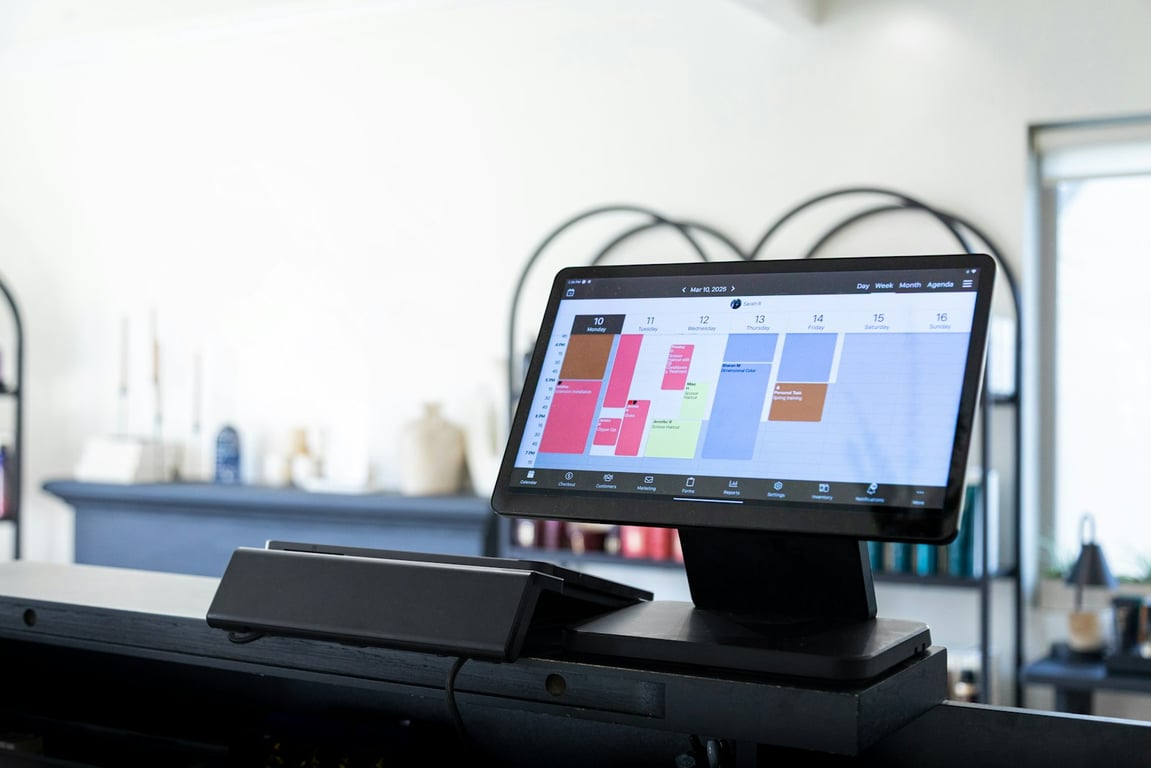
Main appointment event
Buffer (before) event: 30 minutes immediately before
Buffer (after) event: 30 minutes immediately after
Implementation details
Give buffer events a clear title like Buffer — Travel or Buffer — Prep
Color-code buffer events differently so the calendar is readable
Add the same appointment_id to all three events
Store the buffer event IDs anywhere you can (even in the main event description) so you can update/delete them later
Step 3: Stop duplicates with idempotency (search-before-create + update-by-ID)
If your automation does “Create event” every time it sees a trigger, duplicates are inevitable.
Use this pattern:
Search Google Calendar for an existing event that contains your appointment_id
If found: Update that event (and its buffer events)
If not found: Create the main event + buffer events
If your integration supports a “Find or Create” step, still add a follow-up Update step to ensure mutable fields (time, duration, status) stay correct after reschedules.
Step 4: Handle reschedules and cancellations (without breaking your bundle)
Reschedules
When the appointment time changes:
Update the main event start/end
Move buffer-before to (new start - buffer duration)
Move buffer-after to (new end)
Cancellations
When the appointment is canceled:
Delete (or mark as canceled) the main event
Delete the two buffer events
Tip: If delete steps are unreliable, use a fallback “Cancel marker” approach:
Prefix titles with CANCELLED —
Set event to “Free” availability
Keep everything linked by appointment_id so cleanup can run later
Step 5: Add-on services (duration math) without creating chaos
If add-ons change duration (pet hair, odor removal, etc.), treat duration like a computed value:
Base duration + sum(add-on durations) = total duration
Update the main event end time accordingly
Then recalculate buffer blocks based on the updated end time
This Zapier structure is designed to survive retries and partial failures.
Trigger: Appointment created/updated (from GoHighLevel or your booking tool)
Formatter / Code step (optional): Compute:
appointment_id
start/end times
duration
buffer durations
Find event in Google Calendar (search by appointment_id)
Path A (found): Update main event → update buffers
Path B (not found): Create main event → create buffers
Optional cleanup job: Daily/weekly scan for duplicates (same appointment_id appearing multiple times) and merge/delete safely
Troubleshooting checklist (quick wins)
Are you using a single appointment_id across every system?
Does your Zap search before it creates?
Are buffer blocks real events, not just settings?
Are reschedules updating both the main event and buffers?
Are cancellations deleting (or clearly cancel-marking) all bundled events?
Can you identify the “source of truth” for time changes (and ignore the other system)?
When to consider switching tools (or adding a different voice AI layer)
If you can’t get stable IDs, reliable webhooks, or consistent update/delete actions, you’ll keep fighting the system. It may be time to:
Move scheduling to a platform that supports stronger event identifiers and update semantics
Add a middleware layer that owns the appointment ID and pushes updates outward
Re-evaluate voice AI tooling if it can’t respect buffers or handle reschedules cleanly
Get help fixing your GoHighLevel calendar sync
If you want help implementing the “event bundle + idempotency” pattern (buffers, reschedules, cancellations, and duplicate prevention), book a free consulting call here: https://connex.digital/book/website
A small custom chocolate maker replaced a crashed order system and an MRP app with Airtable and Softr: per-product artwork approval plus live inventory.
A 30-person nonprofit moved its lead-safe home repair grant program off spreadsheets and email into one Airtable, DocuSign and Zapier pipeline. Here's how.